What people actually complain about
We searched 2,553 recent App Store reviews of six photo apps for phrases such as “unrecognizable” and “different person”. The reviews date from 2022-02-22 to 2026-11-15. They turned up 36 face complaints, and we added one more from a complaint-site page.
These are customer opinions, not tests. They do not show that any named app changes faces.
“it completely changes people’s faces to look like plastic. It’s not even close to the original person.”
“the AI distorted my grandfather’s image. It was close but didn’t capture him the way the original photo did.”
“changed his face completely to the point it didn’t even look like my dad”
“AI changes the faces on the photo I could not recognize my parents.”
“this app made my aunt look like a cartoon”
“Always ruins the eyes, the windows of our souls.”
“kept changing group photo completely”
We sorted the 37 complaints by their main point, counting each once. One of the 26 in the first row came from the complaint site rather than the App Store.
| Complaint | Count |
|---|---|
| Looks like a different person | 26 |
| Plastic, cartoon or doll-like | 4 |
| Eyes changed | 3 |
| Mustache added or looks older | 2 |
| Group photo changed | 1 |
| Preview differs from saved file | 1 |
Most complaints say the face became someone else, and several name a father, grandfather or parents. Plastic skin is a separate complaint, which the next section explains.
Changed face vs fake-looking face
Reviewers describe two different problems. In the first, the face no longer looks like the person. In the second, the face looks fake but may still look like them.
A changed face means features moved or were redrawn: eye shape, nose width, mouth corners. Relatives notice because they know the person, and this is the larger group, 26 of the 37 complaints.
A fake-looking face means the texture went wrong: skin too smooth, eyes too glossy, a doll or cartoon finish. Four of the 37 complaints describe this.
A photo can fail one test and pass the other. Our similarity score speaks only to the first problem, and we did not rate skin texture.
Results
The table reports the lowest SFace score for each completed run. Every listed run had a detected face and a score above 0.4.
| Aged test image | Mode | Lowest score | Cutoff result |
|---|---|---|---|
| Single portrait, heavy blur | Standard | 0.457 | Above 0.4 |
| Two small faces | Standard | 0.633 | Above 0.4 |
| Scratched and faded print | Standard | 0.663 | Above 0.4 |
| Black-and-white portrait | Standard | 0.958 | Above 0.4 |
| Moderate blur | Standard | 0.751 | Above 0.4 |
| Camera shake | Standard | 0.738 | Above 0.4 |
| Single portrait, heavy blur | HD | 0.535 | Above 0.4 |
| Two small faces | HD | 0.491 | Above 0.4 |
| Black-and-white portrait | HD | 0.881 | Above 0.4 |
Across nine run-level scores, the minimum was 0.457, the median was 0.663, and the range was 0.457–0.958.
6 of 6 Standard runs and 3 of 3 HD runs scored above the cutoff. Each run uses its lowest face score; two detected faces count as one run. A score above the cutoff meets this test’s similarity criterion, not unchanged facial details.
Two Standard inputs had no detected face, so they have no score and are not included.
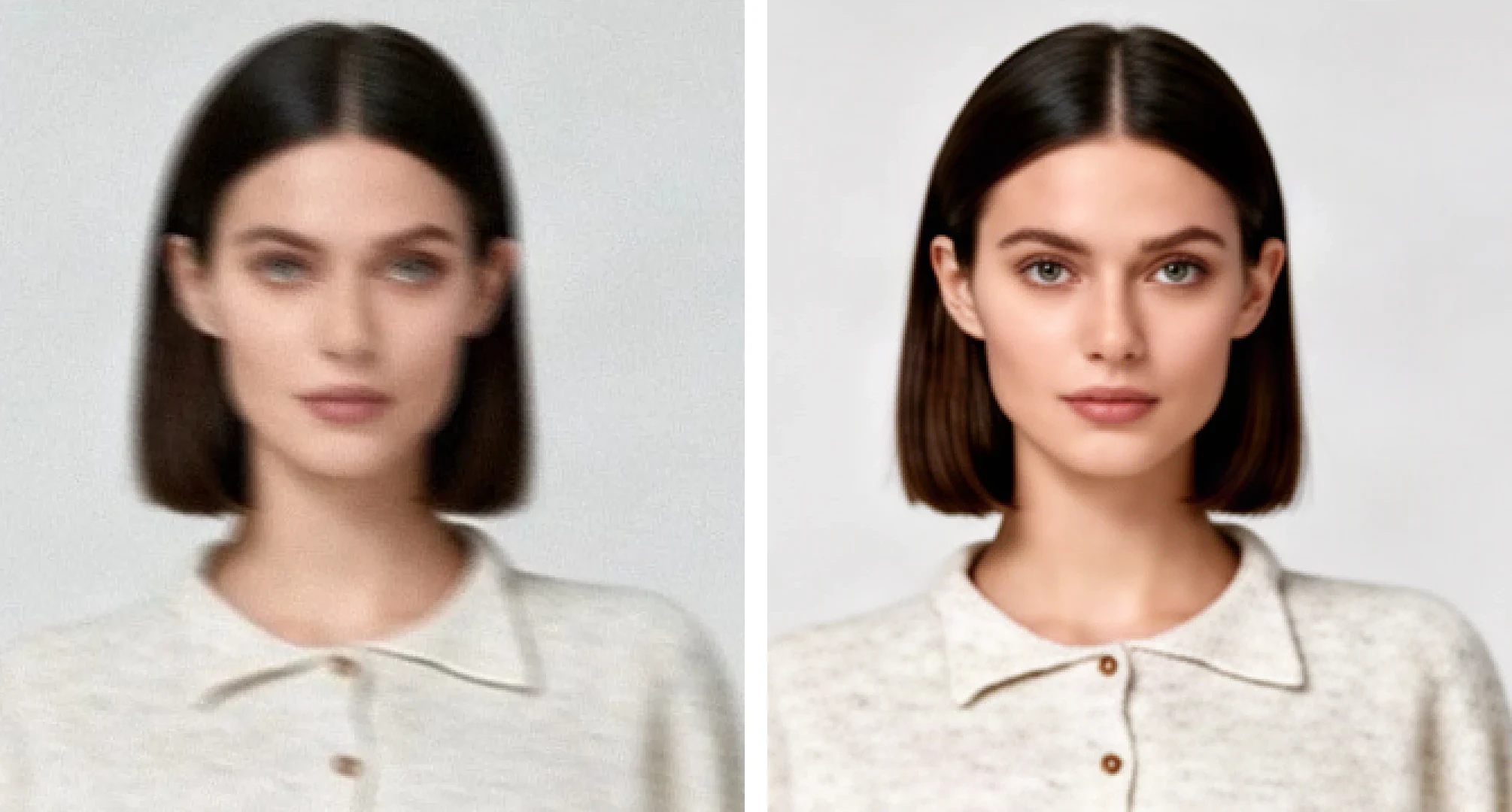
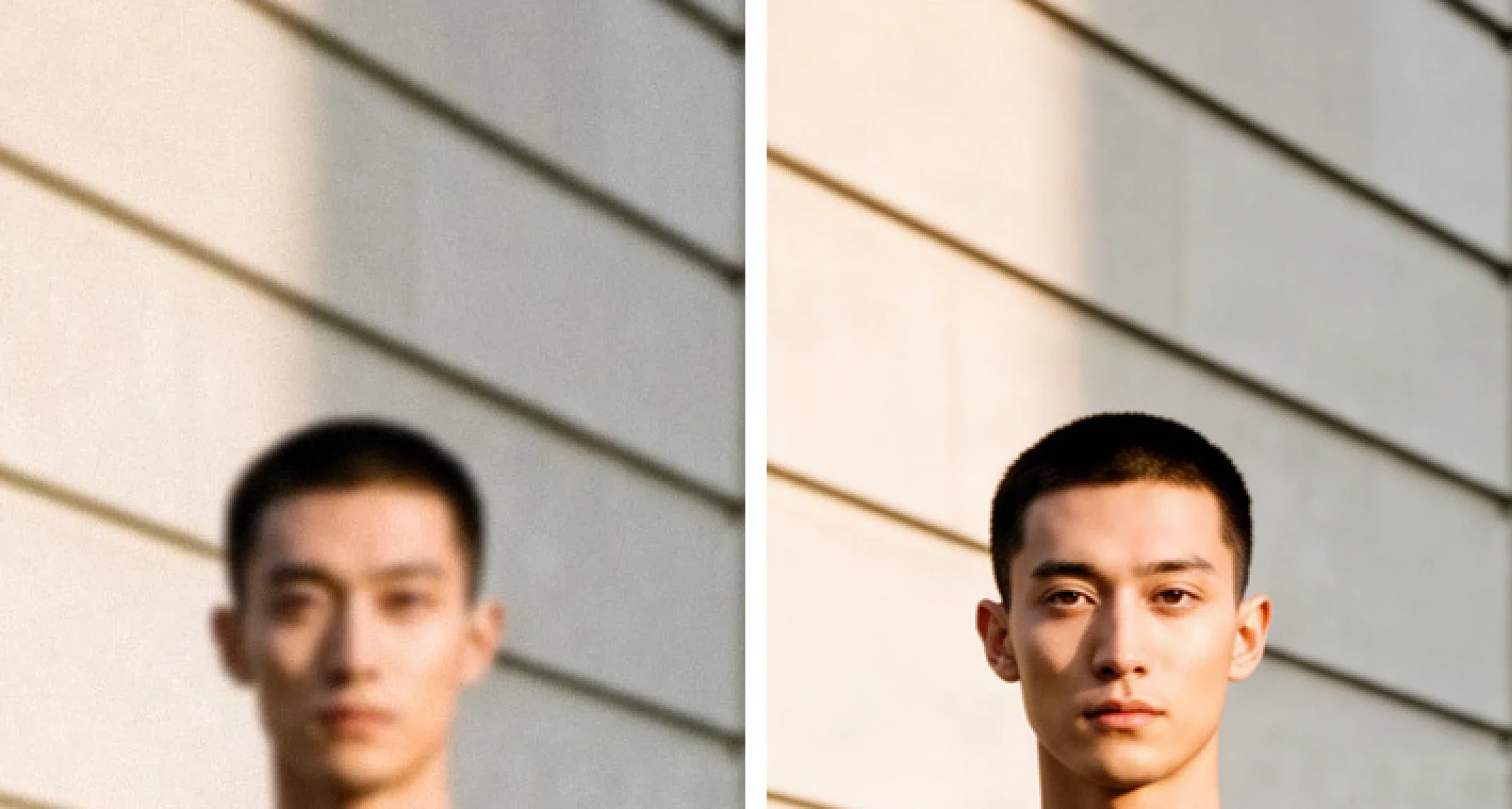
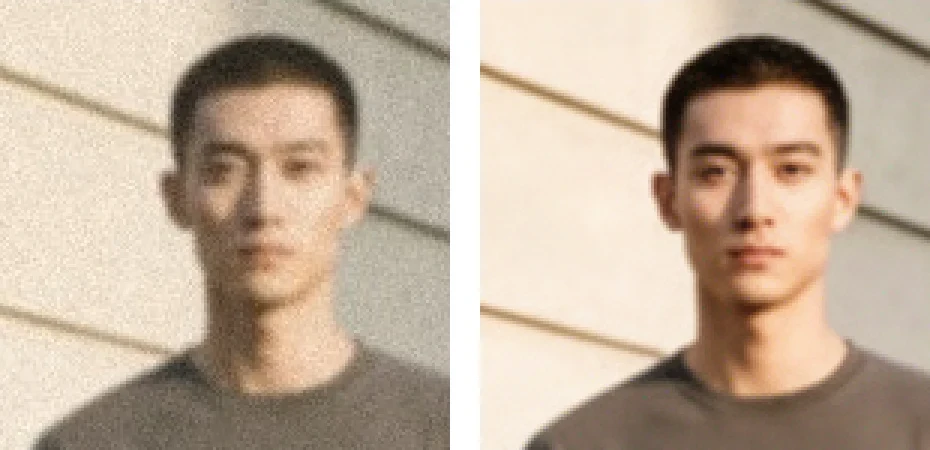
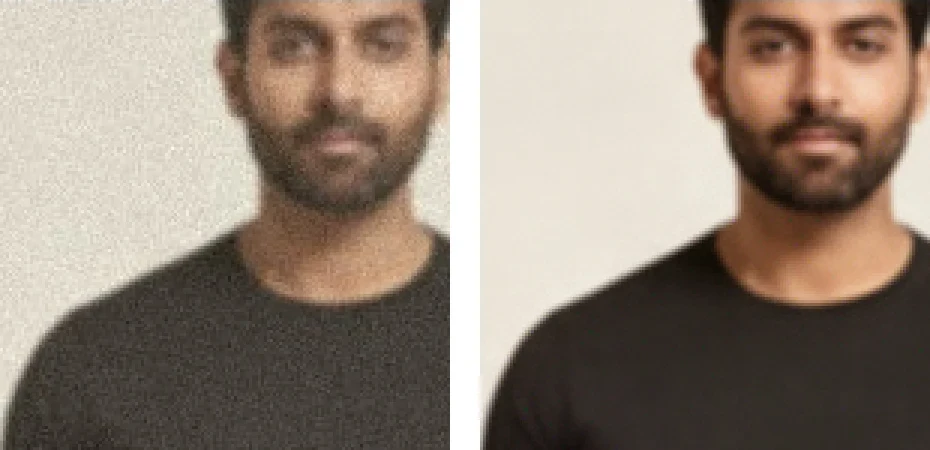
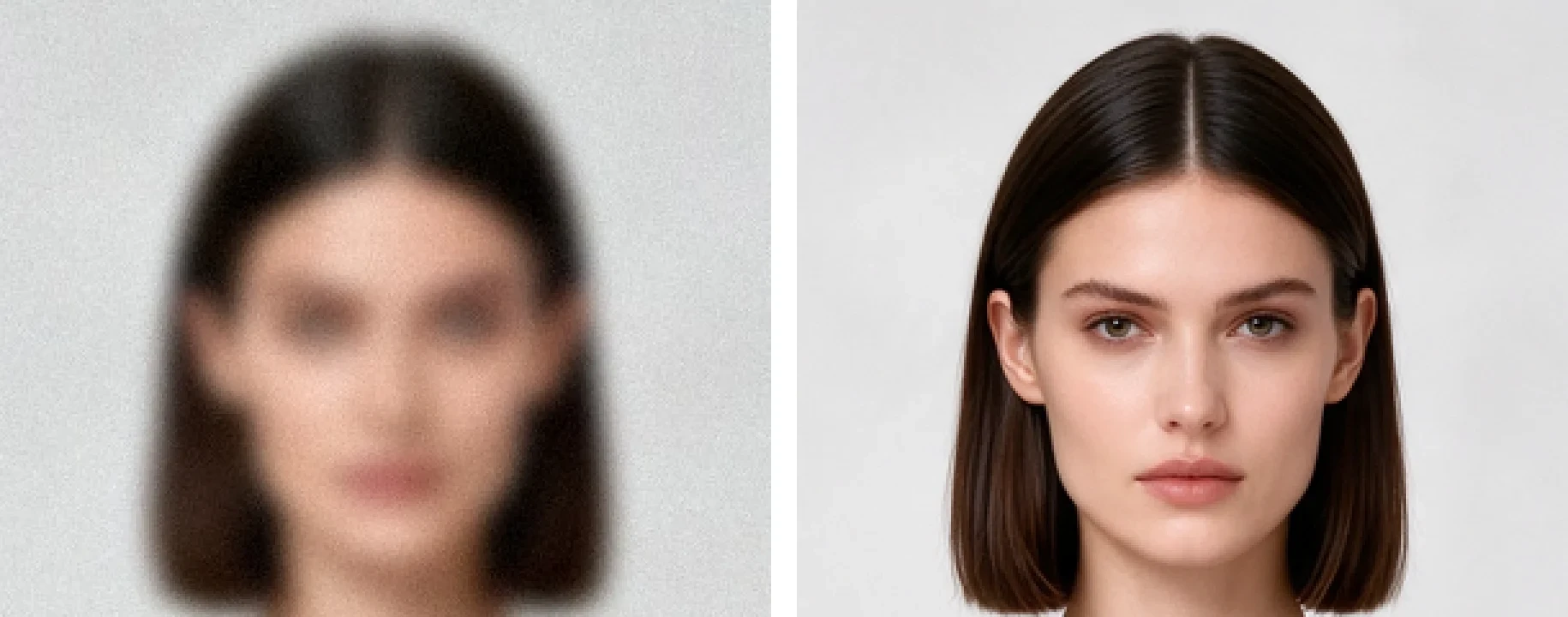
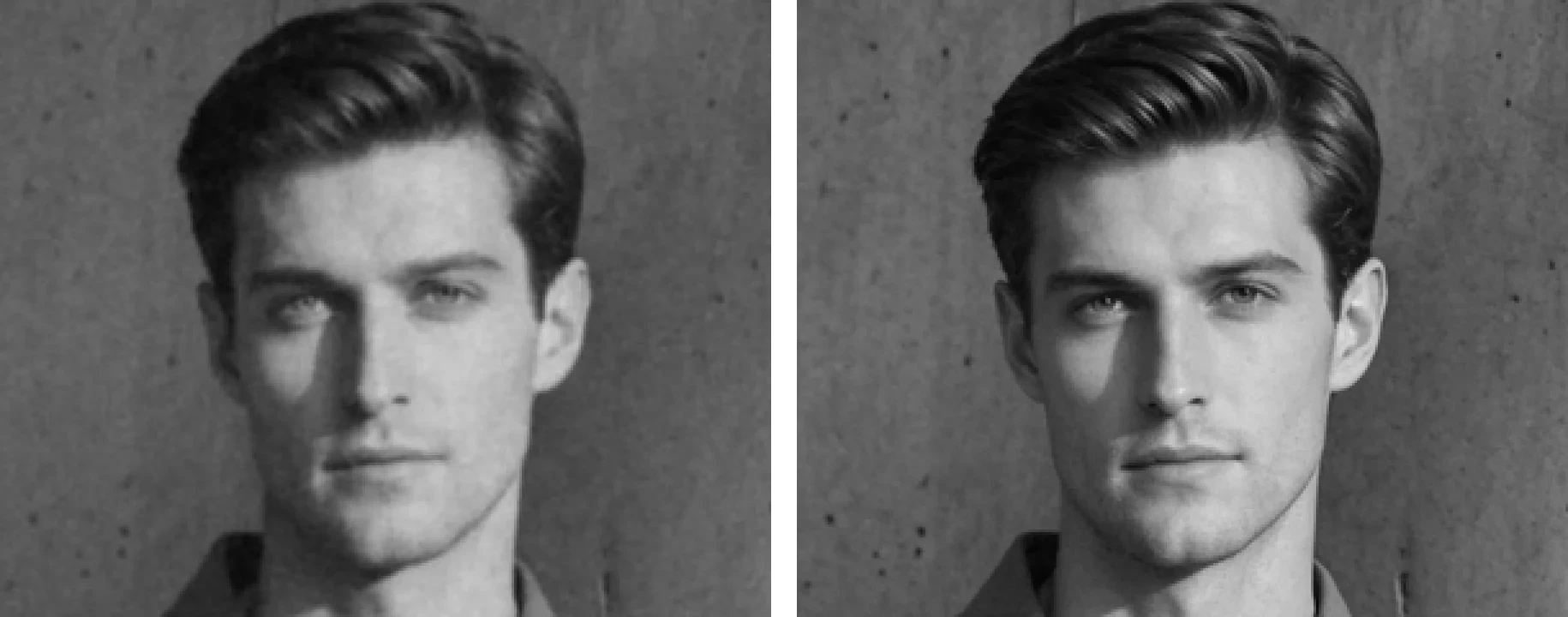
These reported comparisons show the same face crop from each aged input and its result, enlarged three times. Newly visible detail is generated by the model, not recovered from the source.
What the research says
Six published papers test or discuss how face restoration affects identity. Each used its own images, models and measures, so their numbers cannot be compared with ours.
Norman and Farid
A 2024 UC Berkeley study found that CodeFormer produced a clean, sharp face that was a different person.
The authors asked whether super-resolution and deblurring help a face recognition system pick the right person from six similar faces. They used FaceNet and ArcFace, plus 12 enhancement methods.
Unprocessed images scored 78.2% and 83.8% on the two systems. Shrinking them eight times cut that to 47.1% and 56.2%. Upscaling them back with CodeFormer gave 51.6% and 58.2%, the lowest of five methods in Table 1.
In deblurring tests on FaceNet with a 3×3 optical blur, the baseline was 77.6% and CodeFormer reached 56.9%.
The authors report that enhancement sometimes hallucinates facial features and that they found no way to tell when. They tested recognition systems on artificially degraded images in a forensic setting, not human judgment of old photos.
Applied Sciences
Abstract onlyWe mark this entry “only the abstract was read”, because the publisher blocked our download of the full paper.
The study blurred 100 faces from an open database with Gaussian blur, restored them with four AI methods and tested three recognition systems. The abstract says restoration removed noise and blur but did not significantly improve recognition. It adds that restoration can alter features and introduce fabricated ones.
Its last sentence still credits the technique with a positive effect on forensic face comparison. We have no per-method numbers.
Zhao and colleagues
The authors argue that restoration models lean toward either generating clear detail or staying faithful to the source. They propose their own model and a new identity measure.
In a user study at 8× upscaling, five raters judged each of 100 samples. Shown four methods at once, they preferred the authors’ own model 86.4% of the time, against 7.4% for GPEN and 5.4% for GFPGAN.
That is a preference vote won by the authors’ own model, not a share of restorations that kept identity.
GFPGAN
GFPGAN restores faces using a pretrained face generator as a prior. The authors tested 3,000 synthetic images and three real sets of 1,711, 180 and 407 faces, some from old photos. On the synthetic set, identity distance, where lower is closer to the original, fell from 47.94 for the input to 34.60.
Section 4.4 lists the authors’ own limits. Severely degraded real photos can give distorted details, very large head poses look unnatural, and grayscale inputs can produce biased face color.
CodeFormer
CodeFormer has a weight, w, that trades quality against fidelity. A smaller w favors a high-quality look, a larger w favors fidelity, and the default is 0.5.
On the identity score, the authors report 0.60 for CodeFormer, 0.42 for GFPGAN, 0.54 for GPEN and 0.32 for the unprocessed input. These are the authors’ own experiments.
They also write that identity inconsistency remains in rare parts such as accessories, and that side-view faces get limited benefit. Norman and Farid, an outside team, found CodeFormer the weakest method in their extreme-shrinking tests.
MGFR
The authors state the problem this way.
“FR inevitably introduces the illusion of generation, producing results with different facial attributes or even different identities from the target image.”
Here FR means face restoration. Their remedy adds extra inputs such as a reference photo and attribute text.
Why a sharper face can look less like them
Your restored photo does not look like her because the model fills missing detail from patterns in many faces, not from hers.
A blurry face has lost information. Eyelids, lip edges and nose shadows are no longer in the pixels.
Restoration models learn what faces usually look like from large sets of photos. The GFPGAN paper calls this a generative facial prior. When the photo lacks detail, the model draws the most plausible face from that prior.
A plausible face is not her face. The result looks sharp and natural, so nothing warns you that the eyes or mouth are guesses. Norman and Farid write that the enhanced image alone gives no obvious sign of a hallucination.
Some models expose a fidelity setting. In the CodeFormer paper a smaller weight gives higher quality, a larger weight gives higher fidelity, and the default is 0.5. The default sits between the two.
Light blur leaves more to work from. Norman and Farid saw small gains from most deblurring methods, while CodeFormer stayed below the baseline in their deblurring tables.
Which photos are most at risk
The sources point to one pattern: the less detail a photo holds, the more the model has to invent. The table lists five cases and where each claim comes from.
| Photo type | What the source says | Source |
|---|---|---|
| Very small or low-resolution faces | FaceNet matching fell from 78.2% to 47.1% after an 8× shrink. A 4× shrink left 74.0%. | Norman and Farid 2024 |
| Enlarging 8× or more | CodeFormer scored 51.6% and 58.2%, the lowest of five methods. | Norman and Farid 2024 |
| Side-view faces | Limited benefit and poor results; very large poses look unnatural. | CodeFormer and GFPGAN papers |
| Black-and-white photos | Face color can be biased when the input is grayscale. | GFPGAN, Section 4.4 |
| Small faces in group photos | One reviewer says a group photo kept changing. This is the weakest evidence. | App Store review above |
None of these rows is a verdict on a particular app. Each describes where a model has least to work with, so check those photos first with the four steps below.
Eyes, mustaches, age: what AI can add
A restoration model can add details that were never in the photo. Reviewers describe eyes that changed and faces that gained facial hair or age.
“can make the eyes black and disproportioned”
“It ages the people (children) and everyone is given mustaches.”
Research describes the same pattern. Figure 1 of Zhao and colleagues says GPEN and GFPGAN lean toward generation and can change identity-related details such as eye color. The MGFR authors note that eye color and skin features cannot be predicted from a low-quality input.
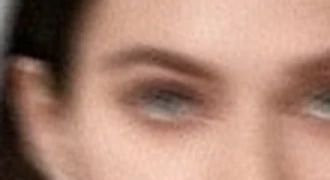
These are single reviews and paper statements, not our measurements. Our nine runs were scored on overall face similarity, so they do not isolate eyes, facial hair or age.
Check your own photo in four steps
- Put the result and original side by side at the same size.
- View both at the size you plan to use, then enlarge the face.
- Compare eye shape and spacing, nose width, mouth corners, ears and hairline. Note details that appear newly drawn.
- Keep the original if a feature looks wrong; conventional edits can clarify recorded edges. Generative methods estimate missing detail.
CodeFormer has a fidelity control (paper, checked 2026-11-16). GFPGAN uses a generative facial prior (paper, checked 2026-11-16).
Try one of your own photos, then check the face with the four steps above.
The tool behind this link is Revivo Photo Unblur, the product tested in this article.
Uploaded photos are handled as described in our privacy policy.
Using restored photos for funerals, family trees and ID
Label the restored copy, for example “AI restored from the original, 2026”, in the file name or caption. Relatives and later researchers then know which face is the record and which is an estimate.
Do not use a restored face to identify anyone. Norman and Farid warn about forensic use, because the enhanced image gives no obvious sign when a feature was invented.
For a funeral program, show the restored photo to a relative who knew the person before printing. For passports, IDs and legal papers, follow the issuing office’s rules and supply the original. Our old photo restoration page covers the wider workflow.
FAQ
Can AI restoration change facial details?
What does an SFace score mean?
Does colorizing a black-and-white photo change eye color?
Which AI tool changes faces the least?
We do not know. We tested only Revivo Unblur, in nine runs.
Our search on 2026-11-16 found no independent same-image test of other tools. A fair comparison needs the same images, dated versions, repeated runs, a disclosed metric and blind human review.
AI photo restoration tools compared scores each tool’s published features, not face similarity.
Did you test Remini, MyHeritage, Gemini or ChatGPT?
Does a score above 0.4 prove it is the same person?
How we tested
Test setup
We tested Revivo Photo Unblur in a separate preview deployment on 2026-11-16. The preview CV worker is separate from production, so these scores are not production results.
All people were AI-generated. We made aged test inputs with blur, fading, scratches, low resolution and camera-shake effects, then uploaded each to Unblur Standard or HD. Nine completed runs with detected faces were scored: six Standard and three HD.
Scoring and the 0.4 cutoff
SFace compares aligned face images and returns a cosine-similarity score. This report used 0.4 as its cutoff.
OpenCV’s SFace example uses 0.363 for cosine matching (example, checked 2026-11-16). Its tutorial lists dataset-specific thresholds (tutorial, checked 2026-11-16).
The model file was face_recognition_sface_2021dec.onnx. The CV build pins opencv-contrib-python-headless==4.13.0.92, and the exact running image digest was not recorded. A score is a similarity signal, not identity verification.
Test set download
The ZIP holds the nine reported runs, aged inputs, results, face crops, a score table and reproduction notes. The people are AI-generated, and the set is available for research with attribution to Revivo Photo. Download the Revivo face-similarity test set ZIP. Scores are also available as a CSV file.
Citable data card
On 2026-11-16, nine Revivo Unblur preview runs on aged AI-generated portraits scored 0.457–0.958 (median 0.663) with SFace; 6 of 6 Standard runs and 3 of 3 HD runs exceeded 0.4. Each run uses its lowest face score, with two-face images counted once. This small test does not prove identity.
Cite as: “Revivo Photo face-similarity test, 2026-11-16.”
What would change this conclusion
This is a small test on AI-generated people whose photos were aged with scripts. A larger sample, more kinds of source photos and repeated runs could change the pattern.
We will update the result when a larger test is available.
Compare your own result with the original at full size. See plans and current prices for Unblur Standard and HD.
Compare your own result with the original at full size.